You probably think of voice data as words. You dictate a sentence, the assistant transcribes it, and the result is text. Simple.
But that mental model is dangerously incomplete.
Your voice carries far more than language. Every time you speak to a voice assistant, you are transmitting a biometric identifier as unique as your fingerprint - along with information about your emotional state, your health, your age, your accent, your stress levels, and dozens of other signals you never intended to share. And unlike a password, you cannot change your voice if it gets compromised.
This is not a theoretical concern. In 2025 alone, over 300 million records were exposed in breaches involving cloud-connected productivity and communication tools. Voice data was part of the picture in a growing number of those incidents.
This article breaks down exactly what voice data contains, why it is more sensitive than most people realize, the specific risks of cloud-based voice processing, and what you can do to protect yourself - including why on-device processing is the only architecture that truly keeps your voice private.
What Does Your Voice Actually Reveal?
When you speak, your vocal tract produces a complex acoustic signal. That signal does not just encode words. It encodes you.
Biometric Identity
Your voice is a biometric. The combination of your vocal cord length, throat shape, nasal cavity dimensions, and habitual speech patterns creates a voiceprint that is statistically unique to you. Banks already use voice biometrics for authentication. Law enforcement agencies use voiceprint matching. If someone captures a high-quality recording of your voice, they have a biometric identifier that cannot be revoked.
This is fundamentally different from a leaked password or even a leaked credit card number. You can change a password. You can cancel a card. You cannot change the physical dimensions of your larynx.
Unlike passwords or credit cards, a compromised voiceprint cannot be reset. Your vocal tract dimensions, habitual speech patterns, and acoustic signature are permanent biometric identifiers. A single high-quality recording is enough to clone or impersonate your voice using modern AI synthesis tools.
Emotional State
Researchers have demonstrated that machine learning models can detect emotional states from voice with accuracy rates exceeding 80%. Pitch variation, speaking rate, pause patterns, vocal tremor, and harmonic-to-noise ratio all carry emotional information. A stressed voice sounds different from a calm one. An anxious voice sounds different from a confident one.
When you dictate an email while frustrated, a cloud-based system that captures raw audio does not just get the words of your email. It gets a record of your emotional state at that moment.
Health Indicators
This is where voice data starts to feel genuinely invasive. Research published in peer-reviewed journals has shown that voice analysis can detect or indicate:
- Parkinson's disease - through changes in vocal tremor, breathiness, and articulation precision
- Depression and anxiety - through prosodic patterns, speaking rate changes, and reduced pitch variation
- Respiratory conditions - through breath patterns, voice quality, and phonation characteristics
- Cognitive decline - through word-finding hesitations, sentence complexity reduction, and speech fluency changes
- Fatigue levels - through fundamental frequency shifts and articulatory precision
A longitudinal dataset of your voice recordings is, in a very real sense, a partial medical record. Not one you consented to create. Not one protected by HIPAA. Just one that happens to exist on a company's servers because you used their dictation feature.
Demographic and Behavioral Profiles
Voice reveals age range, gender, regional accent, native language, education level, and socioeconomic indicators. These are not just abstract data points. They are the building blocks of behavioral advertising profiles, hiring algorithm inputs, and insurance risk assessments.
Combined with the content of what you dictate - emails, documents, notes, messages - voice data paints a remarkably complete picture of who you are, how you feel, and what you are doing.
The Problem With Cloud-Based Voice Processing
Most voice assistants and dictation tools send your audio to remote servers. The architecture is straightforward: your device captures the sound, compresses it, transmits it over the internet, a server processes it, and the transcription comes back. This round trip typically takes 100 to 500 milliseconds depending on network conditions.
From a pure engineering standpoint, this made sense ten years ago. Speech recognition models were enormous, power-hungry, and needed server-grade hardware. Your phone or laptop simply could not run them locally.
That is no longer true. But the cloud architecture persists - and with it, a set of risks that most users never think about.
Risk 1: Data Breaches
Every cloud service is a target. The question is not whether a breach will happen, but when. In recent years:
- Google paid a $68 million settlement for improperly recording private conversations through its voice assistant
- Fireflies.AI was sued for collecting biometric voice data without consent
- Amazon confirmed that Alexa recordings are stored indefinitely and reviewed by human employees
- Microsoft's Cortana stored voice queries linked to user accounts, accessible to contractors
- A 2024 study found that 276 million healthcare records were breached, many through cloud-connected productivity tools
When a voice processing service is breached, the attackers do not just get text transcriptions. They potentially get raw audio - your biometric voiceprint, emotional states, health indicators, and everything you said.
Risk 2: Third-Party Access
Cloud voice data exists in a legal gray area. Terms of service for most voice tools include broad language about data usage, improvement of services, and sharing with partners. Some highlights from real terms of service:
- "We may use your voice inputs to improve our products and services"
- "Audio data may be reviewed by authorized personnel for quality assurance"
- "We may share anonymized data with third-party partners"
"Anonymized" voice data is notoriously difficult to truly anonymize because the voice itself is the identifier. Research has shown that voiceprints can be re-identified from supposedly anonymized datasets with accuracy rates above 90%.
Risk 3: Government and Legal Requests
Cloud-stored voice data can be subpoenaed. Law enforcement agencies can issue warrants or court orders requiring a company to hand over stored recordings. If your voice data lives on a server, it is subject to the legal jurisdiction where that server operates - which may not be the jurisdiction where you live.
In the United States, the Stored Communications Act governs law enforcement access to stored electronic communications, but its application to voice assistant recordings is still being litigated in courts. The legal protections for cloud-stored voice data are, at best, uncertain.
Risk 4: AI Training and Model Improvement
Many cloud-based voice services use customer audio to train and improve their speech recognition models. This means fragments of your voice data may be incorporated into machine learning datasets, listened to by human reviewers, and persist indefinitely in training pipelines - even after you delete your account.
Apple, Google, and Amazon have all disclosed programs where human contractors listened to voice assistant recordings for quality assurance. While these programs have been scaled back after public backlash, the fundamental incentive remains: cloud providers have a strong business reason to retain and use your audio data.
When you delete your account with a cloud voice service, your raw audio may persist in training datasets, backup archives, and machine learning pipelines indefinitely. Deletion from a user-facing dashboard does not guarantee deletion from every system that touched your data.
Why On-Device Processing Is the Answer
The privacy risks outlined above share a common root cause: your voice data leaves your device. Every risk - breaches, third-party access, legal requests, AI training - depends on audio being stored on or transmitted to a remote server.
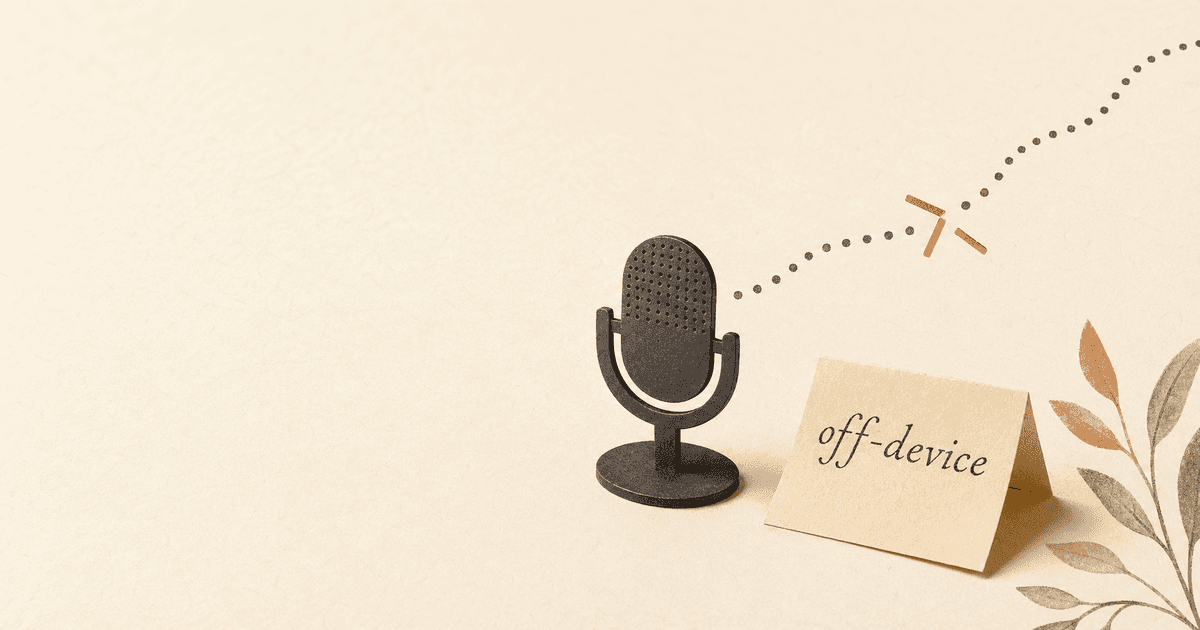
On-device processing eliminates all of these risks by keeping audio exactly where it was captured: on your machine.
Audio is transmitted to remote servers, stored in databases you do not control, potentially reviewed by human contractors, subject to data breaches, legal subpoenas, and AI training pipelines. Your biometric voiceprint exists on infrastructure managed by a third party, in jurisdictions you may not be aware of.
Audio never leaves your machine. No network requests, no servers, no stored recordings. Processing runs on your local hardware using dedicated Neural Engine chips. Your voiceprint, emotional data, and health indicators stay entirely under your control with zero exposure surface.
How On-Device Speech Recognition Works
Modern on-device speech recognition uses neural network models that run directly on your device's hardware. On Apple Silicon Macs (M1 through M4), these models leverage the Neural Engine - a dedicated chip designed for machine learning inference. If you are curious about the full technical pipeline - from acoustic modeling to language models to post-processing - our deep dive into how speech recognition actually works covers the engineering in detail. The process works like this:
- Audio capture: Your microphone records your voice locally
- Preprocessing: Noise suppression and voice activity detection run on-device
- Recognition: A neural network converts audio to text using your device's Neural Engine
- Post-processing: Punctuation, formatting, and correction happen locally
- Output: The finished text is delivered to your application
At no point does audio leave your machine. There is no network request. There is no server. There is no cloud.
The Accuracy Gap Has Closed
The historical argument for cloud processing was accuracy. Server-side models were bigger, trained on more data, and had access to more compute. They simply produced better transcriptions.
That gap has closed dramatically. On-device models running on Apple Silicon now achieve word error rates within 2 to 3 percentage points of the best cloud-based systems - and in many real-world dictation scenarios, they match or exceed cloud accuracy because they eliminate network-induced issues like packet loss, compression artifacts, and connection interruptions. For a detailed look at how accuracy compares across specific tools, see our honest comparison of the best dictation apps for Mac.
For dictation specifically - as opposed to open-domain transcription of arbitrary audio - on-device models can actually outperform cloud alternatives. This is because dictation has predictable patterns: it is a single speaker, in a relatively quiet environment, speaking deliberately. These are exactly the conditions where compact, optimized models excel.
Latency Is Better, Not Worse
Cloud processing adds latency. Even on a fast connection, the round trip of uploading audio, server processing, and downloading results adds 100 to 500 milliseconds. On congested networks or with VPN connections, it can be significantly more.
On-device processing has effectively zero network latency. The time from speaking to text appearing is determined entirely by the speed of your local hardware. On Apple Silicon, this means text appears as fast as you can speak it - often faster than cloud-based alternatives.
It Works Everywhere
Cloud-dependent voice tools fail without internet. On an airplane, in a basement, in a rural area with spotty coverage, or simply when your WiFi goes down - cloud voice assistants become expensive paperweights.
On-device processing works the same everywhere. No internet required. No degraded performance. No silent failures.
What You Can Do Right Now
Privacy is not all-or-nothing. Even if you cannot switch every tool in your workflow today, you can make meaningful improvements.
Audit Your Current Voice Tools
Make a list of every application that has access to your microphone. For each one, ask:
- Does it send audio to a server?
- What does the privacy policy say about voice data retention?
- Can you opt out of audio data collection for AI training?
- Is there an on-device alternative?
You might be surprised by how many applications have microphone access that you forgot about.
Prioritize On-Device Alternatives
For tools you use frequently - dictation, text-to-speech, voice notes - prioritize alternatives that process locally. The performance gap between cloud and on-device has closed enough that you are unlikely to notice a difference in daily use. But the privacy difference is absolute. If voice notes are part of your workflow, it is worth understanding why voice notes are the best way to capture ideas and how on-device transcription keeps them private. And if you rely on voice input for accessibility reasons - RSI, carpal tunnel, or other conditions that make prolonged keyboard use painful - the privacy case is even stronger, since your dictations may include medical context you especially cannot afford to expose. Our guide on voice input as assistive technology for RSI and repetitive strain covers both the accessibility and privacy dimensions.
Review System Permissions Regularly
On macOS, go to System Settings, then Privacy & Security, then Microphone. Review which applications have microphone access and revoke permissions for anything that does not need it. Do this quarterly.
Understand What "Private" Actually Means
Be skeptical of marketing language. "We take your privacy seriously" is not a technical guarantee. Look for specific architectural claims:
- On-device processing: Audio never leaves your machine. This is the gold standard.
- End-to-end encryption: Audio is encrypted in transit but still decrypted on a server. Better than nothing, but the server still has access.
- Zero-knowledge architecture: The server processes encrypted data without being able to read it. Rare in voice processing but the ideal for cloud services.
- "Private by default": Often meaningless without technical details to back it up.
The only architecture that makes voice data breach-proof is one where voice data never reaches a server in the first place. This is exactly the approach behind a privacy-first voice assistant that processes everything on-device.
1. Open System Settings → Privacy & Security → Microphone and revoke access for any app that does not need it.
2. For each voice tool you use, check the privacy policy for the phrases "on-device processing" or "local inference" - if you cannot find them, assume your audio is being sent to a server.
3. Switch your primary dictation and voice note tools to on-device alternatives.
4. Set a calendar reminder to repeat this audit every quarter.
The Voice Privacy Landscape in 2026
The regulatory environment is catching up, slowly. The EU AI Act now classifies biometric data - including voiceprints - as high-risk, imposing strict requirements on systems that process it. Several US states have enacted biometric privacy laws, with Illinois' BIPA (Biometric Information Privacy Act) leading to multi-million dollar settlements against companies that collected voice data without explicit consent.
But regulation alone is not enough. Laws set minimums. They define what happens after a breach, not how to prevent one. Technical architecture is the first line of defense.
The trend is clear: on-device processing is moving from a niche privacy feature to an industry expectation. Apple has invested heavily in on-device ML across its product line. Google has moved key speech recognition models to run locally on Pixel devices. The technology is ready. The question is which tools and companies will adopt it - and which will continue to profit from cloud-based data collection.
How Yaps Approaches Voice Privacy
Yaps was built from the ground up on a simple principle: your voice data should never leave your device.
Every feature in Yaps - speech-to-text dictation, text-to-speech reading, voice notes, the studio editor, voice commands - processes audio locally on your Mac using Apple Silicon's Neural Engine. There are no cloud APIs for core functionality. There is no server that receives your audio. There is no database of voice recordings.
This is not a privacy setting you need to enable. It is the architecture. There is nothing to opt out of because there is nothing to opt into. Your voice stays on your Mac. Period.
Even Yaps' premium features maintain this principle. Offline voices are bundled with the application and run entirely on-device. Cloud voices - clearly labeled as such - use text-to-speech APIs that send text, not your voice audio. Your voice input is always processed locally.
Smart history, voice notes, and transcription logs are stored in your local user directory. They are not synced to a server. They are not backed up to our infrastructure. They are your files, on your machine, under your control.
We do not have user accounts. We do not have analytics dashboards that display user voice data. We do not have a data pipeline for voice recordings. We do not use your audio to train our models. We do not retain any data because we never receive any data.
A voice keyboard that keeps your voice on your phone.
Install Yaps on Android for offline dictation, a familiar full-size keyboard, and no screen capture. Scan the QR on desktop, or tap the Play badge on mobile.
Frequently Asked Questions
Is voice data more sensitive than text data?
Yes. Voice data contains biometric information, emotional state, health indicators, and behavioral patterns that text alone cannot convey. A text transcript reveals what you said. A voice recording reveals who you are - your identity, your mood, your physical condition, and your stress level. This makes voice data significantly more valuable and more dangerous if exposed.
Do voice assistants record everything I say?
It depends on the assistant. Cloud-based voice assistants like Siri, Alexa, and Google Assistant typically listen for wake words and then record and transmit the audio that follows. Some have been found to record audio even without a wake word due to false activations. On-device voice tools like Yaps process audio locally and do not transmit or retain recordings.
Can my employer listen to my dictation if I use a work computer?
If you use a cloud-based dictation tool on a work device, your employer may have access to the audio or transcriptions through the service's admin console, especially with enterprise accounts. On-device dictation that processes locally does not send audio to any server, so there is nothing for an IT administrator to access remotely. However, endpoint monitoring software installed on the device could still capture screen content.
How can I tell if a voice app sends my audio to the cloud?
Check the app's network activity during dictation. On macOS, use Activity Monitor's Network tab or a tool like Little Snitch to see if the app makes outbound connections while you speak. Apps that process locally will show no network traffic during voice input. If the app requires an internet connection to function, it is almost certainly sending your audio to a server.
Is end-to-end encryption enough for voice privacy?
No. End-to-end encryption protects your audio during transmission, but the receiving server still decrypts and processes it. This means the server has access to your raw audio, even if no one intercepted it in transit. The only way to guarantee voice privacy is on-device processing, where audio never leaves your machine in any form.
What laws protect voice data privacy?
In the United States, Illinois' BIPA (Biometric Information Privacy Act) is the strongest, requiring explicit consent before collecting biometric data including voiceprints. Several other states have similar laws. The EU's AI Act classifies biometric data as high-risk. HIPAA covers voice data in healthcare contexts. However, many jurisdictions have no specific voice data protections, which makes technical architecture more important than legal compliance alone.
Can voice recordings be used to impersonate me?
Yes. Voice cloning technology has advanced to the point where a few seconds of audio can be used to generate convincing synthetic speech in your voice. This makes voice data a target for identity theft and social engineering attacks. Keeping your voice data off third-party servers reduces the attack surface for voice cloning significantly.
What is the safest way to use voice input on Mac?
Use a voice tool that processes everything on-device - no cloud processing, no internet requirement, no audio transmission. Yaps processes all speech recognition locally on your Mac's Neural Engine. Additionally, review your macOS microphone permissions quarterly, revoke access for apps that do not need it, and avoid dictating sensitive information on cloud-based services.
Conclusion
Your voice is not just a convenient input method. It is a biometric identifier, an emotional record, a health indicator, and a behavioral profile - all encoded in the same acoustic signal that carries your words.
The architecture of how voice data is processed determines whether that information stays private or becomes someone else's asset. Cloud processing creates risk. On-device processing eliminates it.
The technology to keep voice data truly private exists today. It runs on hardware you already own. The choice is straightforward: use tools that keep your voice on your device, or accept the risks of sending it to someone else's server.
Your voice is yours. Keep it that way.