Stop typing.Start talking.Stay offline.
AI-powered dictation that runs entirely on your device.
No cloud. No internet. Just your voice.
How Yaps works
Four shortcuts. Infinite possibilities.
Hold Fn. Speak your mind.
Dictate naturally into any app. Yaps transcribes, punctuates, and cleans up your speech in real time. No switching windows, no copy-paste.
Live dictation
Select text. Hear it aloud.
Highlight any text and let Yaps read it back to you in a natural voice. Choose from 18+ voices - warm, bright, gentle, or bold.
Natural playback
Capture thoughts. Instantly.
Press Ctrl+Fn and speak. Your thought becomes a searchable note before you can forget it. Create text notes, kanban boards, or checklists - all by voice.
Voice notes
Say the word. Actions follow.
Create calendar events, set reminders, run Shortcuts, and generate text - all with your voice. Yaps turns speech into action.
Voice commands
Product demo
Live dictation
“Your voice, 4× faster than typing”
Average Yaps user dictates 230 words per minute
Everything you need,
nothing you don't.
Yaps does a few things exceptionally well. No bloat, no complexity - just the voice tools you actually use, designed to stay out of your way.
Speech to text
Hold Fn and speak. Your words appear wherever your cursor is - polished, punctuated, and ready. Works offline, in any app, with zero latency.
Learn moreText to speech
Select any text, hold Option+Fn, and hear it read aloud in a natural voice of your choosing. Perfect for proofreading, learning, or multitasking.
Learn moreThe future of computing is voice-first, private, and built for the way you actually work.
Voice notes
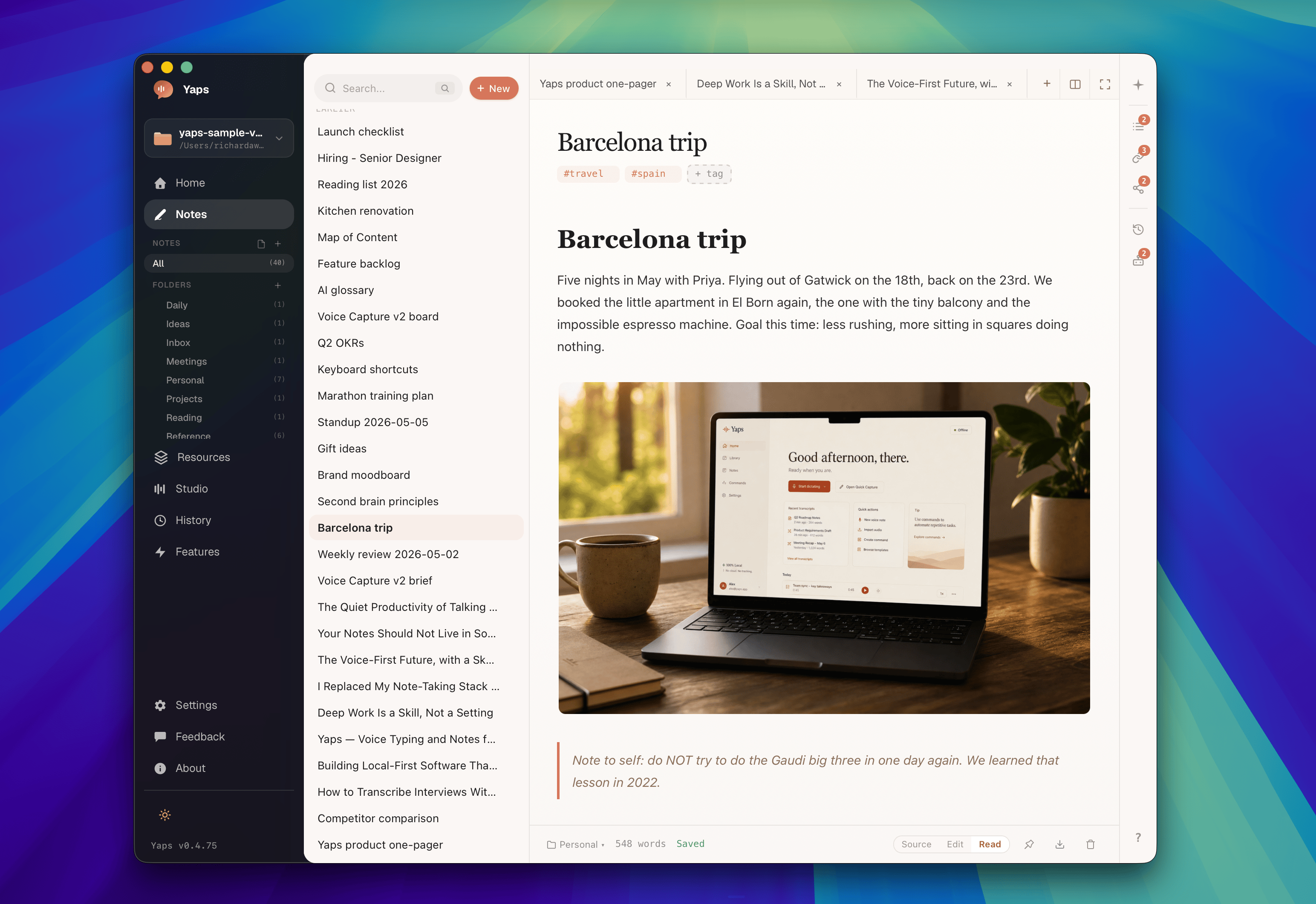
Capture fleeting thoughts with Ctrl+Fn. Text notes, Kanban boards, and checklists - all organized and exportable to Markdown or plain text.
Learn moreMeeting with design team - finalize onboarding flow, discuss accessibility audit results, schedule user testing for next week.
- Review quarterly OKRs
- Draft blog post outline
- Send updated contract
Voice commands
Create calendar events, set reminders, run Shortcuts - all by speaking naturally. Your voice becomes a universal controller.
Learn more“Schedule a meeting with Sarah tomorrow at 3 PM”
Meeting with Sarah
Tomorrow at 3:00 PM
“Remind me to call the dentist in 2 hours”
Call the dentist
Reminder in 2 hours
Also included
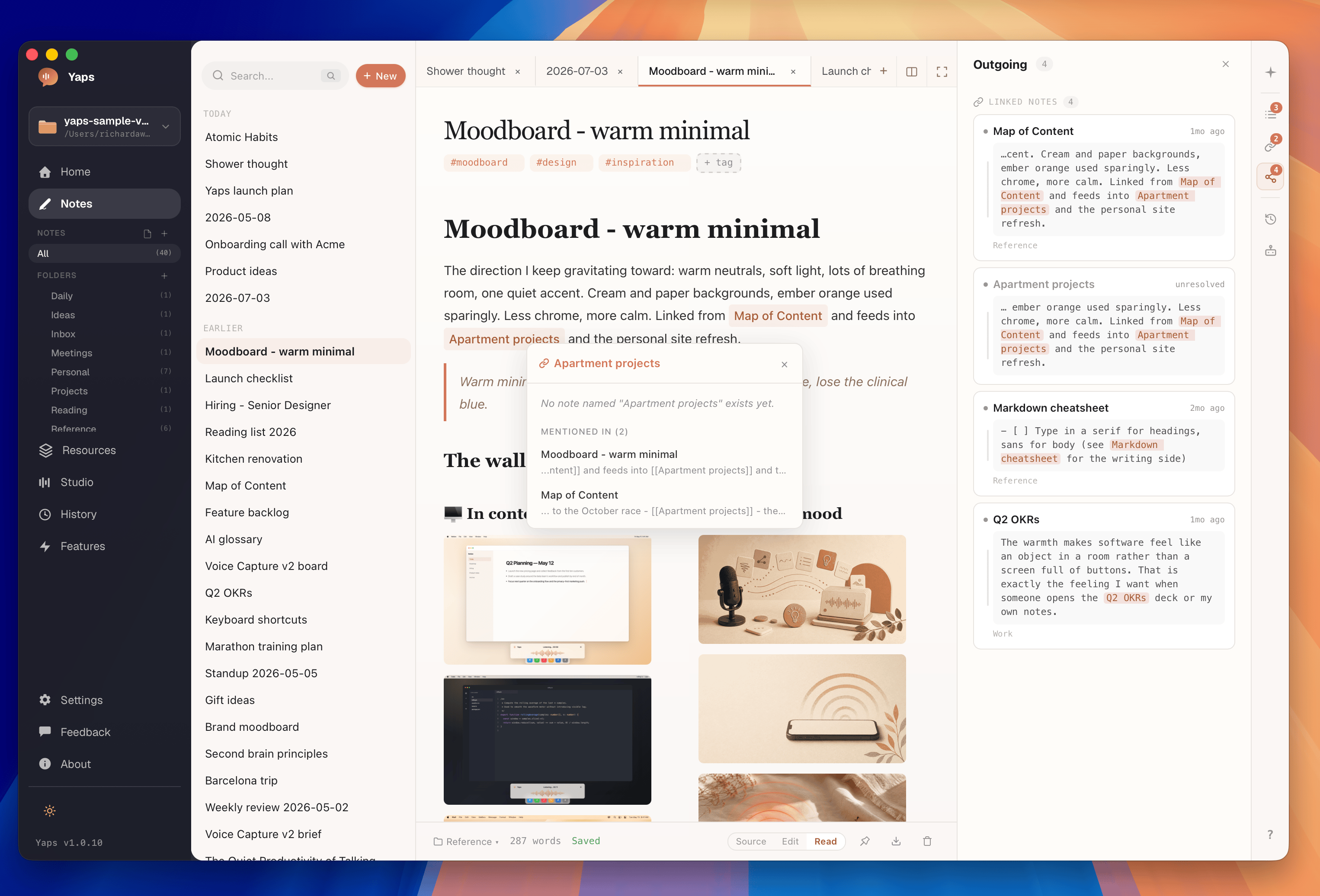
Smart History
Every dictation, reading, and note - timestamped and searchable. Never lose a thought again.
Studio Editor
Write text, pick a voice, and generate audio. Export as WAV or SRT with waveform visualization.
Learn moreExport Anywhere
One-click export to Markdown, plain text, or clipboard. Your notes, your format, your choice.
Smart Formatting
Auto-punctuation, capitalization, and paragraph breaks. Your speech arrives polished and ready.
No cloud upload.
100% local.
See how Yaps compares.
Most voice tools
- Audio often sent to remote servers
- Processed on third-party hardware
- Data stored, logged, or shared by default
- Many tools require an internet connection
- Privacy policies you never read
Yaps
- Audio stays on your device by default
- Processed by on-device models
- Nothing stored externally by default
- Works fully offline with local models
- You own your data, always
Speaking speed
Faster than typing
Natural voices
Offline capable
Simple pricing. Generous limits.
Start free. Upgrade when you’re ready.
Free
Try Yaps with generous local limits.
- 5,000 words/week dictation
- 5,000 words/week reading
- Voice notes, history, and Shortcuts
- 8 offline voices
- Works offline from day one
Basic
Unlimited local voice workflows for everyday use.
- Everything in Free
- Unlimited local dictation
- Unlimited local reading
- Studio editor and exports
- Voice commands and smart history
- Local AI cleanup
- Offline-capable feature store tools
Max
Everything in Basic, plus cloud-backed extras when you want them.
- Everything in Free and Basic
- 1,000 premium credits each month
- Optional cloud dictation, reading, and cleanup
- Voice cloning on Apple Silicon
- Priority access to Max-only features
Frequently asked questions
Yaps is a voice assistant for macOS & Windows. It provides speech-to-text dictation, text-to-speech reading, voice notes, a studio editor for audio generation, and voice commands - all triggered by simple keyboard shortcuts.
Hold the Fn key and speak. Your words appear wherever your cursor is - polished, punctuated, and ready. Yaps works across every app on your computer, from emails and documents to code editors and messaging apps.
Yes. Core dictation, notes, and offline voices work without an internet connection once local models are installed. Premium cloud features, account features, and billing actions require internet access.
Yaps requires macOS 13.0 (Ventura) or later on Mac, or Windows 10 or later on PC. On Mac, it is optimized for Apple Silicon (M1/M2/M3/M4) but also runs on Intel Macs. The memory footprint is under 200 MB.
Yaps offers three plans: Free ($0/forever with 5,000 dictation words and 5,000 reading words each week), Basic ($15/month or $12/month billed annually for unlimited local workflows), and Max ($25/month or $20/month billed annually with 1,000 monthly premium credits and voice cloning). Annual billing saves 20%.
Yes. Select any text on your screen, hold Option+Fn, and Yaps reads it aloud in a natural voice of your choosing. You can choose from local voices today and optional cloud voices on Max.
Still have questions?
hello@yaps.appPrivate voice assistant for macOS & Windows. Join the waitlist and be among the first to try it.
Be among the first to try Yaps
Free forever with 5K words/week • macOS 13.0+ / Windows 10+
Built for creators, developers & professionals
Works with 200+ apps - from your browser to your IDE